AddonBox for Minecraft: Mobile hub for maps, mods, and skins
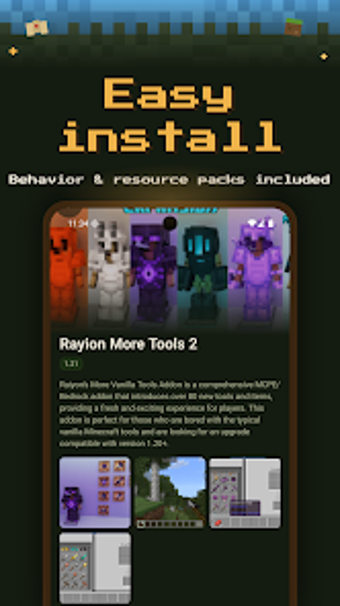
AddonBox: Mods for Minecraft, developed by BTS S, helps Android players extend Minecraft Pocket Edition with community-created content without manual file edits. The app serves as a discovery and import helper, presenting maps, skins, texture packs, and seeds while grouping content into practical categories. It keeps its library refreshed for compatibility and targets mobile MCPE players who want quick access to new worlds, looks, and gameplay tweaks before play sessions.
How AddonBox fits into a quick play session
AddonBox is built for short, frequent play occasions where players want to try a new world or visual style with little setup. The app aggregates community content in one place so users can browse additions between sessions and decide what to test next. The database is regularly updated to reduce broken imports after game updates, which helps when you want a working map or addon ready for the next play period.
Which devices and Minecraft setup it requires
The app runs on Android and depends on having the official Minecraft Pocket Edition or Bedrock Edition installed for imports to take effect. It does not require a separate launcher, so installations are handled through the existing mobile game environment. These constraints mean AddonBox is intended specifically for mobile play and cannot substitute desktop or Java Edition workflows.
How approachable it is for casual and new players
Navigation is designed for quick scanning and category-based discovery, helping casual builders and weekend players find relevant content without deep technical steps. The library groups items such as vehicles and new mobs, which helps non-technical users pick themed packs. The app may include advertisements or account-gated features, so onboarding can include prompts that interrupt browsing or require sign-in for some content.
Safety, permissions, and community content handling
AddonBox curates community-created mods and advises users to review permissions before installing, which places responsibility on the player to vet items. Because content is sourced from the community, exercise caution with unfamiliar addons and back up important worlds before importing. The developer positions the app as a helper that imports content directly into the mobile game rather than as a content host with guaranteed vetting.
To sum up, a practical choice for experimental mobile play
To sum up, AddonBox is a practical option for Android MCPE players who want rapid discovery and easy trial of community content; it suits those who prefer hands-on experimentation on mobile. Expect community-sourced packs and occasional adverts, and remember to back up worlds before importing. It fits mobile players who value fast access to new maps and visual mods, less suited for Java Edition workflows.